
Cast to TV - Screen Mirroring
Video Player & Cast to TVVideo Players & Editors
4.11.10K Reviews
- Version
- 1.7.9.1
- Installs
- 1.00M
- Age Rating
- Everyone
Screenshots
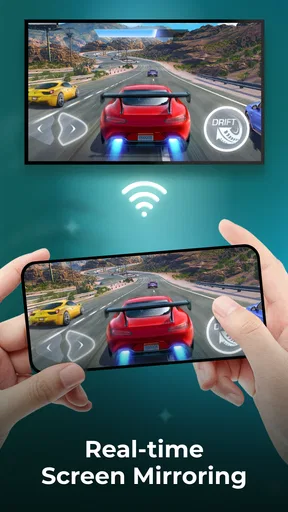
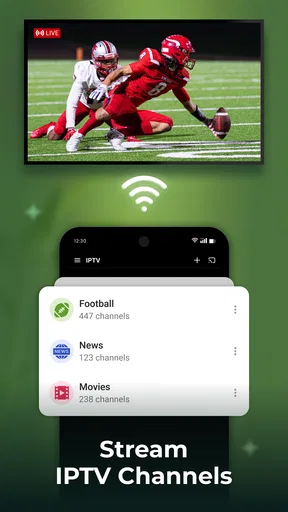
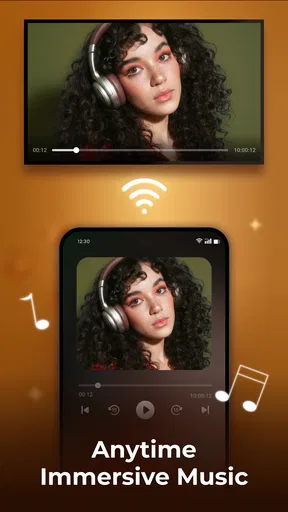
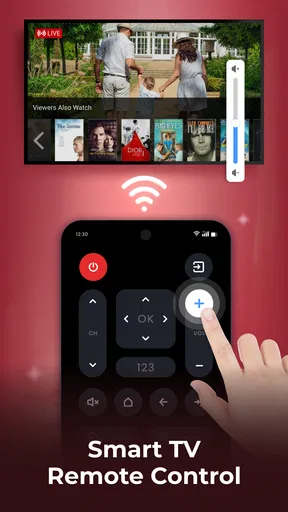
Our Review of Cast to TV - Screen Mirroring
 Analysis by Appyee
Ever wanted to watch your phone’s content on a bigger screen? Well, that's where Cast to TV - Screen Mirroring comes into play. This app is like that friend who always has your back when you need to showcase your media on a larger display. Let me walk you through my experience with it.
Getting Started with Cast to TV
First off, installing Cast to TV - Screen Mirroring is a breeze. Head over to your app store, download it, and you’re good to go. The app greets you with a clean, intuitive interface. It’s not cluttered with unnecessary features, which is a win in my book. Just a straightforward setup that guides you through connecting your device to the TV.
Setting Up the Connection
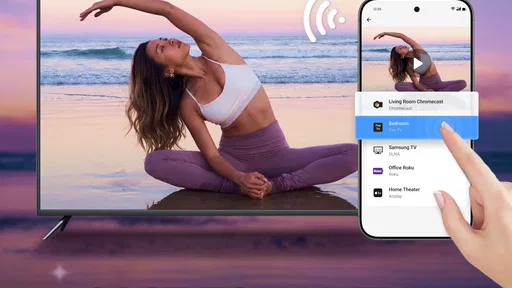
Here’s where the magic happens. Ensure your phone and TV are connected to the same Wi-Fi network. Open the app, and it’ll start searching for available devices to connect to. I found this process pretty seamless. Within seconds, my TV was ready to mirror whatever was on my phone. It’s like having your personal home theater!
Mirroring Quality and Performance
This is where Cast to TV - Screen Mirroring shines. The quality of the mirrored content is impressive. Whether you’re streaming a video, showing off vacation photos, or playing a game, everything appears crisp and lag-free. I’ve tried a few apps, and let me tell you, some can be a bit choppy. But not this one!
Compatibility and Flexibility
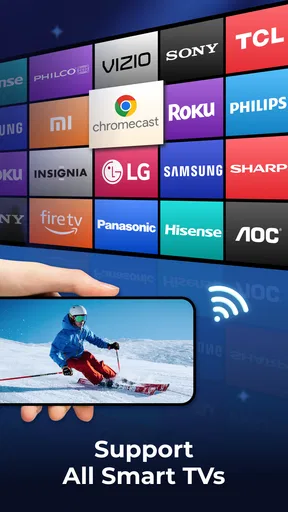
One thing I appreciate is the app’s compatibility. It supports a wide range of TV brands, so you don’t have to worry about whether your TV will work with it. Plus, it’s not just limited to TVs. You can connect to other devices like laptops and tablets too. It’s like a universal remote for your media needs.
User Experience
The app is user-friendly, even for those who aren’t tech-savvy. The instructions are clear, and the layout is intuitive. I like that it doesn’t bombard you with ads or unnecessary pop-ups. You can focus on what you’re doing without interruptions.
Features Worth Highlighting
- Real-time mirroring: Offers smooth and real-time mirroring with minimal delay.
- Wide compatibility: Works with various devices, making it highly versatile.
- Easy setup: Connects quickly and effortlessly.
- No cables needed: Enjoy wireless streaming without the hassle of cables.
Final Thoughts
Overall, Cast to TV - Screen Mirroring is a solid choice if you’re looking to enhance your media viewing experience. It’s easy to use, reliable, and offers excellent quality. Whether you’re hosting a movie night or giving a presentation, this app has got you covered. So go ahead, try it out, and enjoy your content on the big screen!
Privacy and Permissions
See what permissions an app requests and how it handles your data.
- Photos/Media/Files
- read the contents of your USB storage, modify or delete the contents of your USB storage
- Storage
- read the contents of your USB storage, modify or delete the contents of your USB storage
- Wi-Fi connection information
- view Wi-Fi connections
- Other
- view network connections, allow Wi-Fi Multicast reception, connect and disconnect from Wi-Fi, full network access, control vibration, prevent device from sleeping
Verdict
Strengths of Cast to TV - Screen Mirroring
- Easy setup with step-by-step guide.
- Supports multiple file formats seamlessly.
- Minimal lag during screen mirroring.
- User-friendly interface for all ages.
- Compatible with a wide range of devices.
Limitations of Cast to TV - Screen Mirroring
- Ads can be intrusive at times.
- Limited features in the free version.
- Requires stable Wi-Fi connection.
- Some TVs may need additional setup.
- Occasional disconnects during long sessions.
Other Releases by Video Player & Cast to TV
View All
Video Player All Format HD
Video Players & Editors4.4
Similar Picks in This Category
View All
Google TV
Google LLC3.9

iTunes
Apple4.7

YouTube
Google LLC3.8

MX Player
Amazon Mobile LLC4.2

CapCut - Video Editor
Bytedance Pte. Ltd.3.5

PLAYit-All in One Video Player
PLAYIT TECHNOLOGY PTE. LTD.4.5
Frequently Asked Questions
What is Cast to TV - Screen Mirroring and how does it work?
Cast to TV - Screen Mirroring is an app that allows you to project your smartphone's screen onto a TV. It works by connecting your device to a compatible TV over the same Wi-Fi network, enabling you to share videos, photos, and other media seamlessly on a larger screen.
Is Cast to TV - Screen Mirroring compatible with all TVs?
Cast to TV - Screen Mirroring is compatible with most smart TVs that support screen mirroring or have a casting function, such as Chromecast, Roku, or Fire TV. Ensure your TV and smartphone are on the same Wi-Fi network for optimal performance.
Are there any subscription fees or in-app purchases for Cast to TV - Screen Mirroring?
While Cast to TV - Screen Mirroring is free to download, it may offer in-app purchases or a premium version that removes ads and provides additional features. Users should review the app's pricing details in the app store for full transparency.
Can I mirror all types of content using Cast to TV - Screen Mirroring?
The app supports a wide range of content, including photos, videos, and music. However, some apps may restrict screen mirroring due to copyright protection. It's important to check if specific apps allow mirroring through Cast to TV - Screen Mirroring.
How user-friendly is Cast to TV - Screen Mirroring for beginners?
Cast to TV - Screen Mirroring is designed to be user-friendly, with a straightforward interface that guides users through the setup process. Most users find it easy to connect their devices, but there is also customer support available for troubleshooting.
